

Get customers from Google & ChatGPT
Otorank studies your business, understands your market, and creates the content that gets you found, so the right customers discover you first.
We handle everything!
Paste your website
We scan your website, offers, pages, structure, and positioning.
We analyze everything
We study your market, competitors, and what your customers search for.
Tailored content wins
We create content your audience and Google actually understand.
Rank above competitors
We handle publishing, track your rankings, and send clear reports.
Become part of our satisfied brands.
The problem you face & the
solution we provide The problem you face &
the solution we provide
Using ChatGPT for content that starts with "In a world in constant change" and doesn't feel human.
 ChatGPT
Paying extremely high subscriptions for tools like  ,
,  ,
,  ,
,  , ChatGPT and Surfer, and spending huge amounts of money.
Spending a lot of time understanding your audience and market, and producing SEO-optimized content that will sell your products or services.
We analyze and understand your market, audience, and website.
We produce perfectly SEO-optimized content for you.
We manage content in any language as needed.
Your site ranks on Google, Bing, and ChatGPT, while you focus on your core business!
So natural, you'd think it was written by a human So natural, you'd think it was written by a human
 Generated with Otorank
 Why Your Google Business Profile Stopped Ranking (And How to Diagnose It in 15 Minutes)
Your Google Business Profile was ranking beautifully last week, then it vanished without warning. No suspension notice, no penalty alert, just gone from the map pack while your competitors hold the top spots. Most GBP disappearances stem from fixable technical issues that take less than 15 minutes to diagnose.
This guide walks you through a proven diagnostic checklist that pinpoints exactly why your profile dropped, from NAP inconsistencies to category conflicts. For teams managing many listings, platforms like YACSS automate GBP monitoring and alert you to visibility drops before they cost you leads.
Why your profile stopped ranking: key causes in 2026
In 2026, competition for Google Business Profile (GBP) rankings is intense and technical requirements are higher than ever. Most issues trace back to a predictable set of ranking signals that Google outlines in its local-search documentation and that industry studies have validated.
- •Profile suspension and compliance issues: spam, duplicate listings, or a keyword-stuffed business name can trigger a soft or hard suspension.
- •Incomplete or inaccurate business information: outdated addresses, missing hours, or wrong categories push you out of the map pack.
- •A wrong or weak primary category: one of the strongest local ranking factors, and a frequent cause of "the SEO looks fine, but the profile does not rank."
- •Google algorithm updates and competitor moves: core and local updates recalibrate proximity, review, and relevance signals.
- •Technical issues: downtime, poor schema, or slow load speeds weaken trust, and about 53 % of mobile users leave a site that takes over 3 seconds.
- •Weak local trust signals: stale reviews and inconsistent NAP data across directories cost you clicks and calls.
The core local ranking signals
Top-performing studies across the local SEO space point to a core set of signals that dominate Google Business Profile rankings. When your listing disappears, one or more of these usually changed just before the drop.
| Core signal | Common problem | Fast diagnostic question |
|---|---|---|
| Proximity | Office move or a virtual office / PO box | Did your address or service area change recently? |
| Primary category | Main service buried as a secondary category | Does your primary category match your main service? |
| Review velocity | Long gaps or a sudden slowdown in new reviews | Any new reviews in the last 30 to 60 days? |
| Citation consistency | Old addresses or phone numbers still live online | Does every major directory show the same NAP? |
| Website alignment | Generic service pages and thin local content | Do you have detailed service and location pages? |
 Generated with Otorank
 Best Social Media Schedulers for Busy Teams in 2026
Managing social media for a busy team shouldn't mean drowning in tabs, missed posts, or late-night scrambles to hit publish. The right scheduler transforms chaos into rhythm, freeing your team to focus on strategy and creativity instead of manual grunt work.
This guide walks you through the best social media schedulers built for teams in 2026, comparing automation, cross-posting power, and collaboration features that actually save time. Post Bridge, for instance, lets you schedule and manage posts across multiple platforms from one dashboard.
What a social media scheduler does
Think of a scheduler as your personal assistant for digital marketing. It lets you plan, queue, and automate posts across all your platforms, so you're not stuck copy-pasting the same content over and over. In 2026, top schedulers give you a single dashboard: drag-and-drop calendars, bulk uploading, and automatic time-zone adjustments so teams publish consistently across regions.
Why automation matters
- •Consistency becomes easier to maintain: batch content once and let the scheduler distribute it across the week or month.
- •Cross-platform execution improves: adapt copy, media, and timing in one workflow across Instagram, LinkedIn, TikTok, and YouTube.
- •Analytics turn scheduling into strategy: see what happens after a post goes live, then refine timing, content mix, and channel priority.
What the market is telling teams in 2026
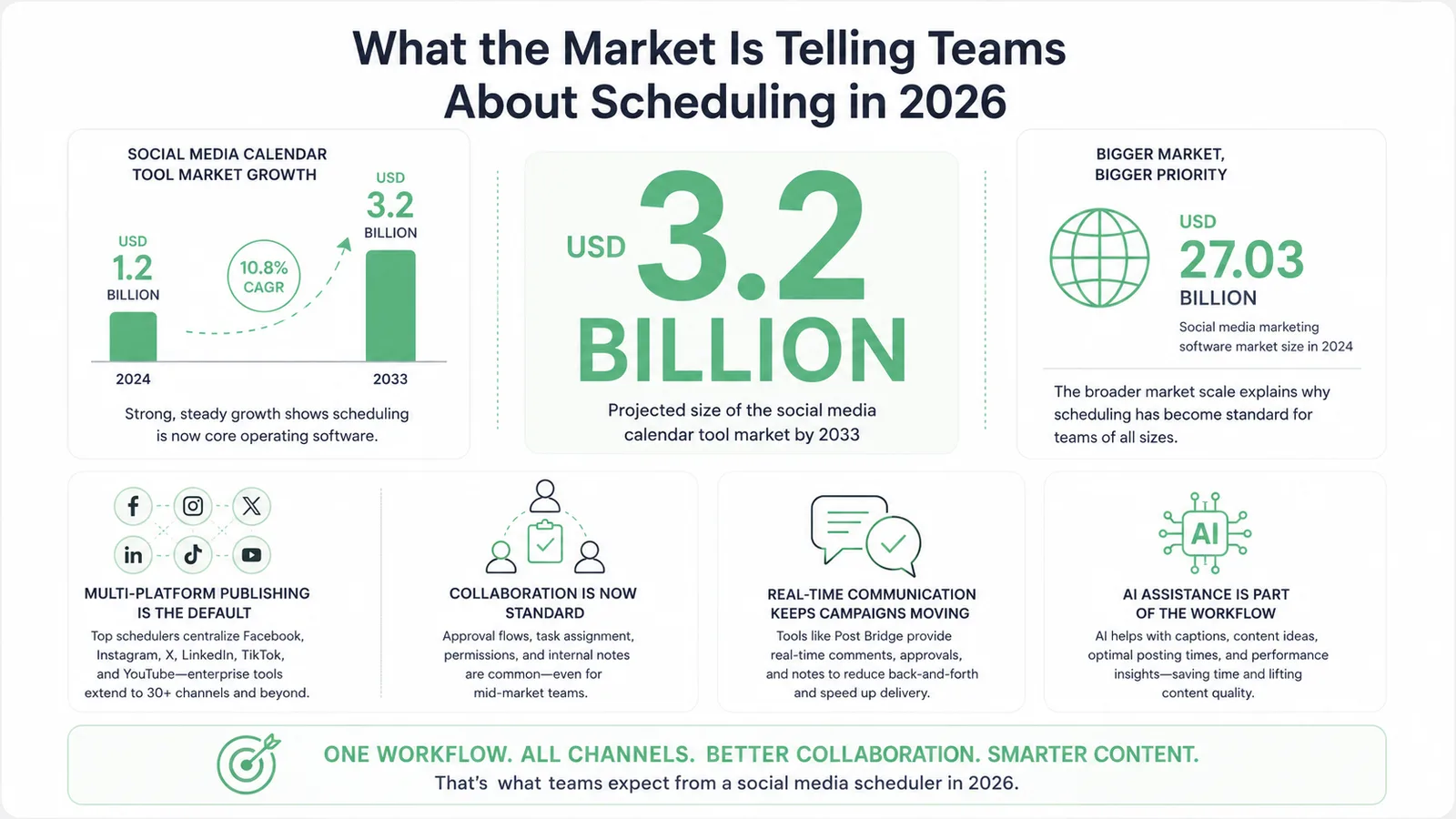
Recent estimates point to steady growth: the social media calendar tool market was around USD 1.2 billion in 2024 and is projected to reach USD 3.2 billion by 2033, while the broader social media marketing software market sat near USD 27 billion in 2024. Scheduling has moved from a nice-to-have to standard operating software.
| Market signal | What it means | Why it matters for teams |
|---|---|---|
| Calendar tools projected to reach $3.2B by 2033 | Demand is expanding, not shrinking | More competition, better features, more pricing options |
| Marketing software around $27B in 2024 | Scheduling sits inside a large, mature category | Integration quality and workflow fit matter as much as raw publishing |
| Enterprise platforms now support 30+ channels | Channel coverage is widening rapidly | Unify publishing, engagement, and governance in one stack |
Check out the Otorank blog, where all articles are generated with Otorank.
Visit Our Blog Generated with Otorank Why Your Google Business Profile Stopped Ranking (And How to Diagnose It in 15 Minutes)
Your Google Business Profile was ranking beautifully last week, then it vanished without warning. No suspension notice, no penalty alert, just gone from the map pack while your competitors hold the top spots. The truth is, most GBP disappearances stem from fixable technical issues that take less than 15 minutes to diagnose. This guide walks you through a proven diagnostic checklist that pinpoints exactly why your profile dropped, from NAP inconsistencies to category conflicts.
For SEO professionals managing multiple listings, platforms like YACSS can automate GBP ranking monitoring and alert you to visibility drops before they cost you leads, giving you the edge to act fast and reclaim your position.
Why your Google Business Profile stopped ranking: key causes in 2026
In 2026, competition for Google Business Profile (GBP) rankings is intense and technical requirements are higher than ever. If your GBP suddenly disappears from search results, pinpointing the cause quickly is really important for recovery. Most issues trace back to a predictable set of ranking signals that Google has outlined in its documentation on local search and helpful content, and that independent industry studies have validated.
- •Profile suspension and compliance issues: suspensions remain a leading cause. Address problems for service-area or home-based businesses, keyword stuffing in the business name, or an ineligible category can trigger a soft suspension (profile visible but changes blocked) or a hard suspension (removed from Maps). Recovery usually means a reinstatement request with documents like utility bills, business licenses, or lease agreements.
- •Incomplete or inaccurate business information: outdated addresses, missing hours, or wrong categories push your listing out of the map pack. One Austin hospitality group saw discovery searches fall 70 percent after missing a seasonal update to their hours.
- •A wrong or weak primary category: independent audits show the primary category is one of the strongest local ranking factors. Treating your main service as a secondary category, or packing in generic services, makes it harder for Google to understand your specialization.
- •Google algorithm updates and competitor moves: recent core and local updates increased the weight of proximity, review signals, and content relevance. A Miami law firm lost map pack visibility after a rival ran a consistent review campaign, even without any penalty applied.
- •Technical and platform issues: downtime, poor schema, or slow load speeds weaken trust and relevance. Around 53 percent of mobile users abandon a site that takes more than 3 seconds to load. One retail client recovered map pack presence after restoring valid localBusiness and service schema and improving site speed.
- •Weak local trust signals: about 87 percent of consumers read online reviews for local businesses, and recency heavily influences trust. Stale reviews and inconsistent NAP data across directories cost you clicks and calls.
Key local ranking signals behind most GBP drops
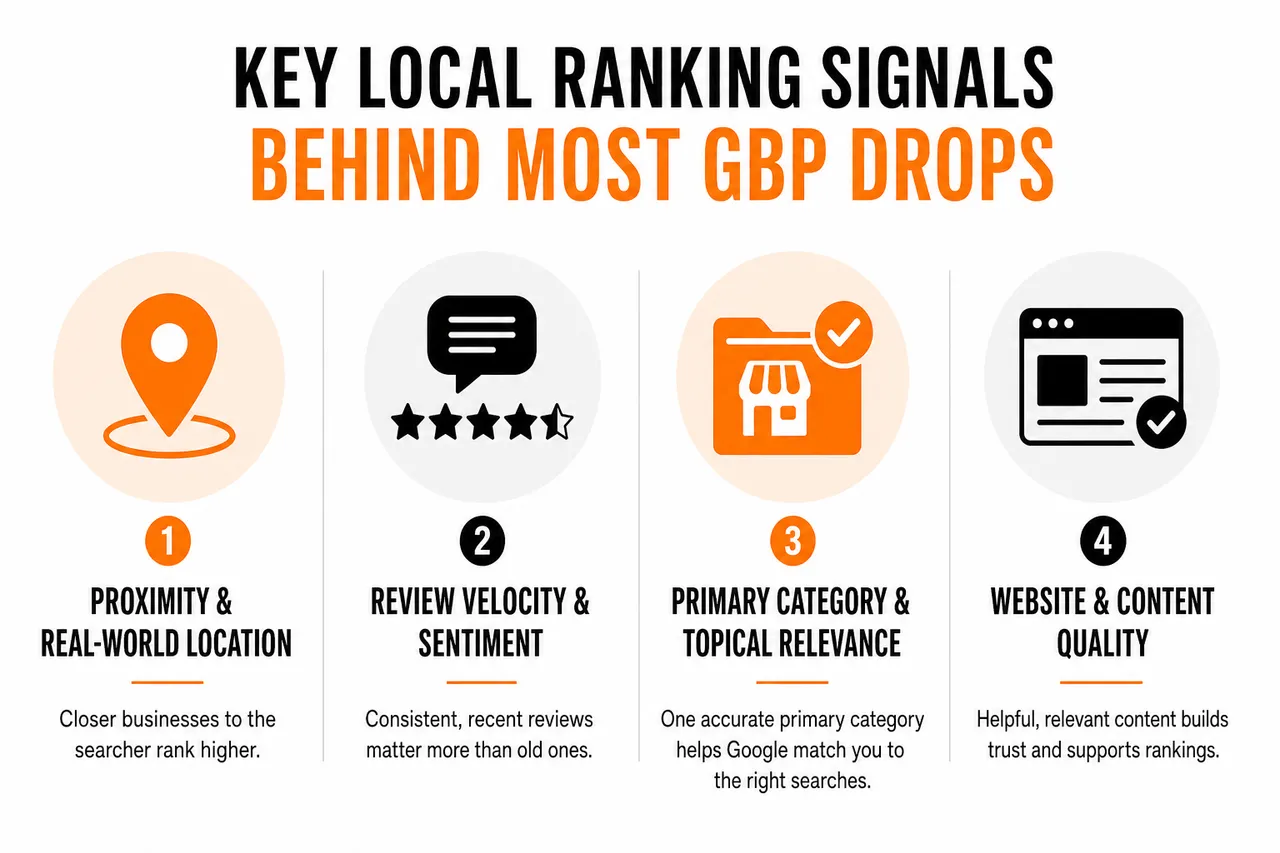
Top-performing articles and studies across the local SEO space consistently point to a core set of signals that dominate Google Business Profile rankings. When your listing disappears, one or more of these usually changed before the drop: proximity to the searcher, primary category and topical relevance, review velocity and sentiment, citation consistency across directories, and how well your website content aligns with the services and locations you want to rank for.
| Core signal | What it influences | Common problem | Fast diagnostic question |
|---|---|---|---|
| Proximity | How often you show within certain radii | Office move or a virtual office / PO box | Did your address or service area change recently? |
| Primary category | Relevance for core money keywords | Main service buried as a secondary category | Does your primary category match your main service? |
| Review velocity | Trust, engagement, and user selection | Sudden slowdown or long gaps in new reviews | Have you earned reviews in the last 30 to 60 days? |
| Citation consistency | Google's confidence in your NAP data | Old addresses or phone numbers still live online | Does every major directory show the same NAP? |
| Website alignment | How Google understands your services and coverage | Generic service pages and thin local content | Do you have detailed service and location pages? |
Diagnose your GBP ranking loss in 15 minutes: step-by-step checklist
When your GBP ranking suddenly drops, a clear, step-by-step approach helps you diagnose the issue fast, often in under 15 minutes. This mirrors the workflows recommended by industry leaders and is easy to operationalize at scale.

- •Step 1: confirm the drop and check for suspension or policy violations. Search your exact business name and city in Search and Maps, look for dashboard banners, and scan the associated inbox for messages from Google support.
- •Step 2: verify profile completeness, NAP, and category accuracy. Check name, address, phone, hours, categories, URL, and attributes, and make sure the primary category truly reflects your main service.
- •Step 3: review recent changes, user edits, and address moves. Google sometimes auto-applies community-suggested edits that silently swap categories or hours, and moves can trigger re-verification.
- •Step 4: check engagement signals such as reviews, photos, and posts. A steady stream of recent reviews and fresh content signals ongoing activity to both users and Google.
- •Step 5: diagnose website alignment and local SEO health. Make sure your homepage and key service pages reference your primary category and service area in natural language.
- •Step 6: monitor for algorithm updates and competitor surges. A spike in reported turbulence often means your drop is part of a broader change.
- •Step 7: run automated checks and export an action plan. Scan for NAP mismatches, schema errors, weak internal linking, and slow mobile pages, then rank each issue by severity and effort.
| Diagnostic step | Main goal | Typical time | Best used with |
|---|---|---|---|
| Suspension & policy check | Identify eligibility or guideline violations | 2 to 3 minutes | GBP dashboard, Google support emails |
| Profile & NAP review | Confirm complete, consistent business data | 3 to 4 minutes | GBP dashboard, main directories, audits |
| Recent changes review | Catch unintended edits or moves | 2 to 3 minutes | GBP change history, change logs |
| Engagement & reviews check | Assess activity and trust signals | 2 to 3 minutes | GBP reviews, photos, posts |
| Website & technical scan | Align content and fix technical issues | 3 to 5 minutes | Technical report, site crawl tools |
How to recover and prevent future GBP ranking drops
Once you have identified why your GBP ranking dropped, focused action and ongoing monitoring are the keys to both recovery and resilience. Businesses that combine prompt fixes with routine audits are far less likely to suffer repeated drops.
- •Immediate recovery: if suspended, gather official documents and submit a clear reinstatement request. Correct NAP details, align the primary category with your main service, and add high-quality photos of your premises, staff, and real work.
- •Optimize for 2026 ranking factors: build a sustainable review strategy, respond to every review, keep business data consistent across directories, and publish clear service and location pages.
- •Leverage ongoing monitoring and automation: set up ranking alerts and regular audits, standardize schema markup, and use cloud distribution to keep new locations and campaigns aligned.
- •Prevention: make monthly GBP reviews part of your routine, stay up to date on local and core updates, and let suspicious patterns such as review influxes or category changes trigger alerts.
| Action type | Primary goal | Example tasks |
|---|---|---|
| Immediate recovery | Restore basic visibility | Submit reinstatement, fix NAP, correct categories |
| Optimization | Improve ranking strength | Enhance reviews, content, schema, and site speed |
| Prevention | Reduce risk of future drops | Monthly audits, citation clean-up, content updates |
Hidden factors that quietly kill GBP rankings
Beyond the obvious issues like suspensions and wrong categories, subtler factors can quietly erode your visibility over time. Service-area businesses and virtual offices face stricter scrutiny, so configure service areas accurately and use only legitimate locations. Google routinely de-duplicates or filters listings that look like the same business at the same address, so periodic scans for duplicates protect your primary profile. Weak photos and thin descriptions lower click-through and call rates, which Google can read as reduced relevance. And a slow or hard-to-use mobile site pushes users back to the results, hurting the behavioral signals that support your GBP.
FAQs: fast answers about sudden GBP ranking drops
Why did my Google Business Profile ranking drop overnight?
Overnight drops often coincide with a suspension or verification issue, a major local or core update, or a significant change to your data such as address, categories, or website URL. The 15-minute checklist, especially the suspension and recent-changes checks, usually reveals which one is responsible.
My GBP is fully optimized but still not ranking. What am I missing?
Profiles that look fully optimized can still struggle if the primary category is off, review velocity is weak, citations are inconsistent, or the website does not support the services and locations you care about. Aligning your primary category, building consistent reviews, and adding detailed service and location pages often unlocks rankings.
How long does recovery take after fixing issues?
Many businesses see early movement within a few days to a couple of weeks after resolving suspensions, correcting categories, or fixing critical technical problems. Complex citation clean-up can take longer, and automated monitoring helps you detect positive trends early.
Losing your position in the map pack can be overwhelming, but a focused, expert-driven diagnostic process can reveal and resolve the root cause in just 15 minutes. Combining manual checks with automated monitoring gives you the confidence to recover quickly and keep your local presence secure through 2026.
Generated with Otorank Best Social Media Schedulers for Busy Teams in 2026
Managing social media for a busy team shouldn't mean drowning in tabs, missed posts, or late-night scrambles to hit publish. The right scheduler transforms chaos into rhythm, freeing your team to focus on strategy and creativity instead of manual grunt work. This guide walks you through the best social media schedulers built for teams in 2026, comparing automation, cross-posting power, and collaboration features that actually save time.
Whether you are a content creator juggling platforms solo or a marketing team coordinating campaigns, you will find tools that fit your workflow. Post Bridge, for instance, lets you schedule and manage posts across multiple platforms from one dashboard, streamlining content scheduling without the headache.
What is a social media scheduler, and why is it essential in 2026?
Think of a social media scheduler as your personal assistant for digital marketing. It lets you plan, queue, and automate posts across all your platforms, so you are not stuck copy-pasting the same content over and over. In 2026, top schedulers give you a single dashboard for everything: drag-and-drop calendars, bulk uploading, and automatic time zone adjustments so teams can publish consistently across regions.
- •Consistency becomes much easier to maintain. Teams can batch content once and let the scheduler distribute it across the week or month, reducing gaps caused by holidays, meetings, or limited capacity.
- •Automation improves cross-platform execution. Instead of rebuilding the same campaign for every channel, teams adapt copy, media, and timing in one workflow, useful when a brand is active on Instagram, LinkedIn, TikTok, and YouTube at once.
- •Analytics turn scheduling into strategy. The best tools show what happens after a post goes live, so teams can refine timing, content mix, and channel priority.
What the market is telling teams about scheduling in 2026
Recent estimates point to steady growth in social scheduling tools, with one forecast putting the social media calendar tool market at 1.2 billion dollars in 2024 and projecting 3.2 billion by 2033 at a 10.8 percent CAGR. Another estimate places the broader social media marketing software market at 27.03 billion dollars in 2024, which helps explain why scheduling has become standard operating software for many teams.
| Market signal | What it means for buyers |
|---|---|
| Calendar tools projected to reach 3.2B by 2033 | Demand is expanding: expect more competition, better features, more pricing options |
| Marketing software estimated at 27.03B in 2024 | Scheduling sits inside a large, mature category, so integration and workflow fit matter |
| Enterprise platforms now support 30+ channels | Brands can unify publishing, engagement, and governance in one stack |
Top social media scheduler tools in 2026: comparison and key features

| Tool | Team collaboration | Starting price | Free plan | Unique advantage |
|---|---|---|---|---|
| Buffer | Yes, with approval workflows | From $6/mo | Yes | Simple UI and strong browser extensions |
| Hootsuite | Yes, with assignments and messaging | From $99/mo | Limited | Enterprise-grade features and security controls |
| Metricool | Yes, with roles and permissions | From $22/mo | Yes | In-depth analytics and customizable reports |
| Sprout Social | Yes, with content calendar and tasks | From $249/mo | No | CRM integration and social listening |
| Later | Basic shared calendar | From $16/mo | Yes | Best for visuals and Instagram-first brands |
| Post Bridge | Real-time comments, approvals, notes | From $29/mo | Yes | Seamless multi-platform scheduling and automation |
Post Bridge is quickly becoming a favorite for teams who want to simplify their workflow without sacrificing power. You can schedule posts to Instagram, LinkedIn, TikTok, and YouTube at the same time from one dashboard, with real-time collaboration, content approvals, and internal notes so marketing, design, and support stay on the same page. API integrations automate recurring campaigns, and unified analytics give you a clear picture of what is working across every channel.
How to choose the right social media scheduler for your needs
- •Platform compatibility: does it cover every channel in your marketing mix cleanly, rather than forcing separate workflows?
- •Automation capabilities: look for bulk uploads, recurring posts, and smart suggestions for when to publish.
- •Collaboration tools: team roles, approval flows, and built-in comments reduce time lost to Slack threads and email follow-ups.
- •Analytics and reporting: are the reports actionable, easy to export, and customizable to your KPIs?
- •Pricing structure: compare what you get for the price, including seat limits and advanced analytics, not just the monthly figure.
- •Customer support: strong support matters most when you are migrating accounts or launching on a deadline.
Scheduling gets smarter when you match the tool to the content type
Visual brands need planning that protects the feed, so a scheduler that previews how the feed will look before anything goes live keeps output intentional. Brands with deep libraries of tips, testimonials, and educational posts benefit from tools that recycle evergreen content and act as a content inventory. Agencies and multi-brand teams need stronger permissions, so approvals, handoffs, and reporting stay visible enough to prevent mistakes.
| Team type | Best-fit traits | Why it helps |
|---|---|---|
| Creator-led brand | Fast publishing, visual calendar, simple approvals | Reduces admin time and keeps content flowing |
| Growing startup | Cross-posting, templates, affordable analytics | Consistent publishing without a heavy software bill |
| Agency or multi-brand team | Permissions, collaboration, reporting | Prevents errors and keeps client work organized |
| Enterprise marketing team | Security, governance, advanced analytics | Supports scale across many channels and stakeholders |
Benefits of automating social media posting
Teams that automate see real results. Ollie Warren achieved his first 1 million view video, crediting Post Bridge for boosting his app ScoutR. Moudjahid Moussa jumped from never breaking 10,000 views to 2.6 million in six weeks by posting daily to every platform. One digital team reported a 45 percent faster turnaround on campaigns after switching to a unified scheduler, and founders like Noah Solomon save at least an hour a day.
Common questions teams ask before they buy
Can one scheduler replace several separate tools?
For many teams, yes, especially when the scheduler includes publishing, analytics, approvals, and content planning in one place. Combining multi-platform scheduling with workflow management reduces tool sprawl and makes onboarding easier.
Do free plans actually work for business use?
Free plans can be very useful for smaller teams, early-stage startups, and solo creators, though they usually limit seats, scheduled posts, or analytics depth. Buffer, Metricool, and Post Bridge give teams meaningful publishing power before a paid upgrade becomes necessary.
How do teams avoid a scheduler that is too complex?
Match the tool to the daily workflow, not to the largest feature list on the market. If your team only needs straightforward scheduling, an overly complex platform can slow people down. A great scheduler is the system that keeps your content cadence steady, your approvals organized, and your team focused on work that moves the business forward.
Here is how Otorank drives results that matter
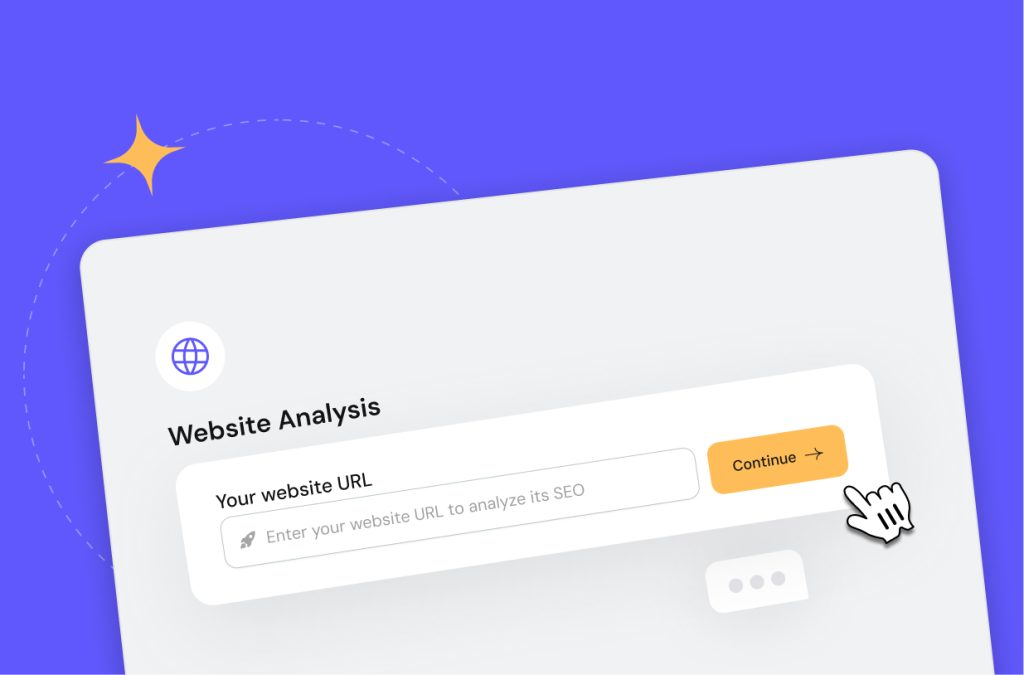
In-Depth Business Analysis
We dig into your niche, competitors, and audience to find easy-win keywords with real traffic.
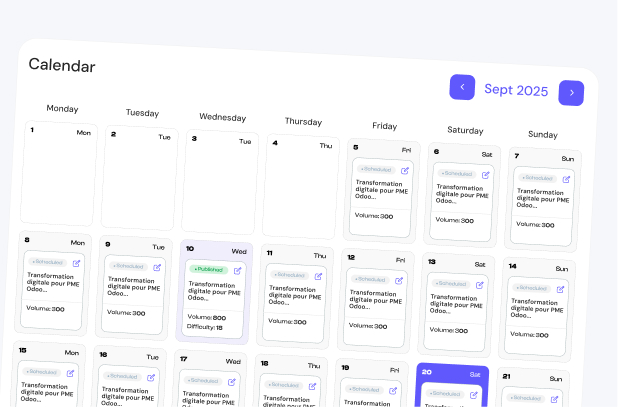
A Tailored 30-Day Strategy
A ready-made content plan where every day targets a keyword that moves your business forward.
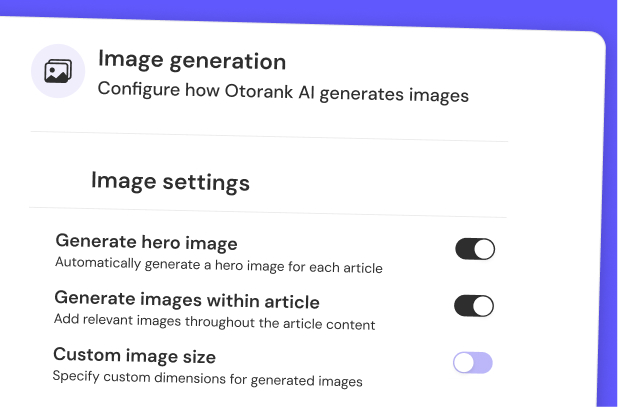
Built to Understand Your Brand
Otorank writes in your voice, so every piece sounds like you, not a generic template.
Remarkably Human Content
No robotic AI. Content that sounds natural and connects with your audience.

No More Copy-Paste
Content is published straight to your site. No manual work, no downloads, no formatting.
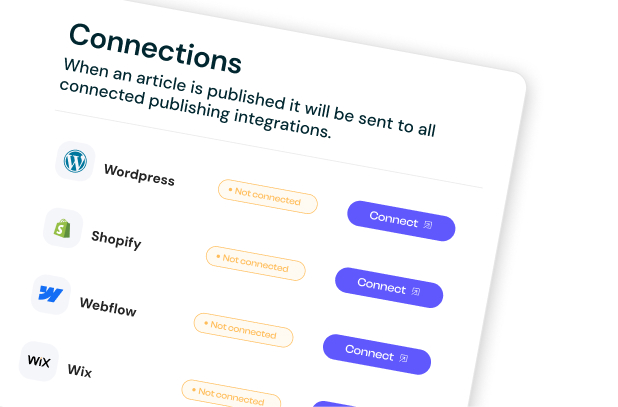
Instant Search Visibility
We make sure your pages are found and ready to rank the moment they go live.
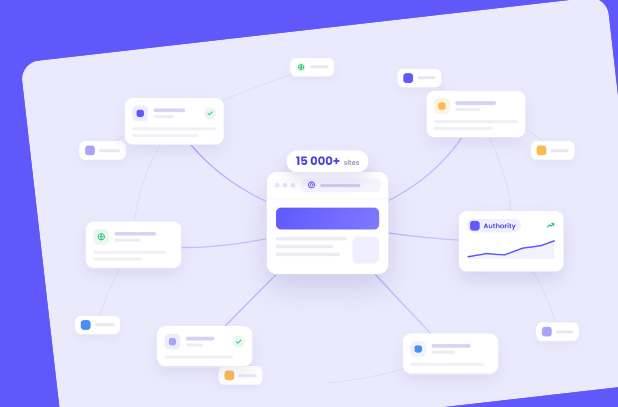
Build Authority with Relevant Backlinks
Access more than 15,000 relevant websites in your niche and language to strengthen your authority and improve your organic visibility.
Boost Your Business with AI-Powered Recommendations
AI selects businesses based on SEO. Discover how to stay ahead.
What we create for your SEO ?
We create two types of content, articles and SEO tools, built around keywords that work for your business. One well-researched piece can appear in thousands of AI responses. That is strategic promotion working 24/7, worldwide.
Why it's important to start now?
AI models form their preferences based on current search leaders. Those who build strong SEO today will get consistent AI recommendations for years ahead.
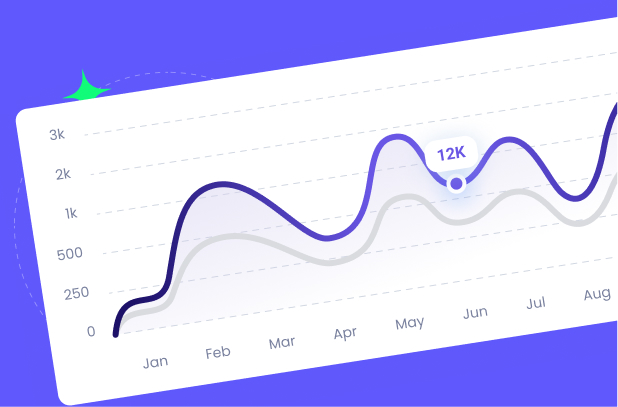
Grow your organic traffic on autopilot
Otorank grows your rankings and traffic while you focus on running your business.
Cancel anytime. No credit card required.
Content in every language your customers speak
Reach customers anywhere. Otorank writes in over 150 languages.
 English
 Español
 Português
 Svenska
 Norsk
Norsk Magyar
 Українська
 עברית
עברית 中文
中文 Bahasa
 ไทย
ไทย CatalàEnglishEspañolPortuguêsSvenskaNorskMagyarУкраїнськаעברית中文BahasaไทยCatalà
 English (UK)
 Deutsch
 Nederlands
 Dansk
Dansk Türkçe
 Română
 Русский
 日本語
日本語 中文 (TW)
 Melayu
 Tiếng Việt
 SlovenčinaEnglish (UK)DeutschNederlandsDanskTürkçeRomânăРусский日本語中文 (TW)MelayuTiếng ViệtSlovenčina
 Français
 Italiano
 Polski
 Suomi
Suomi Čeština
 Ελληνικά
 العربية
 한국어
한국어 हिन्दी
 Tagalog
 Kiswahili
 HrvatskiFrançaisItalianoPolskiSuomiČeštinaΕλληνικάالعربية한국어हिन्दीTagalogKiswahiliHrvatski
One click to any platform One click to any platform
Articles publish straight to each client's CMS, with no copy paste and no manual uploads.

 WordPress
  Shopify
  Webflow
  PrestaShop
  Wix WordPress Shopify Webflow PrestaShop Wix
 Everything you need to know Everything you need to know
How Otorank works, what it connects to, what makes it different, and what to expect once you start.
Otorank is an AI search agent that grows your visibility by studying your website, understanding your market, and creating content built around what your customers actually search for.
ChatGPT gives you a blank page and generic text. Otorank studies your business and market first, then writes content that is ready to rank and publishes it for you, end to end.
Yes. Every article is written in your voice, reads like a person wrote it, and is built around researched keywords. You approve everything before it goes live.
One-click publishing to WordPress, Shopify, Webflow, Wix, and Ghost, plus an API for anything else.
Yes. Once connected, approved articles are published straight to your site. No copy-paste, no formatting, no manual steps.
Use our API, or export ready-to-publish content. Tell us what you use and we will prioritise the connector.
None at all. If you can paste your website URL, you can use Otorank. It is built for business owners, not SEO experts.
Yes. A real person is available by chat to help you set up and get the most out of Otorank.
Absolutely. We build our roadmap around customer requests, so tell us what you need.